
TL;DR:This flaw is arguably 99% of what exacerbates what are otherwise simple, basic issues preventing things working as expected.
Disclaimer: technology consultant for a living. And yes, we acknowledge some didn't run into any such issues. That's part of the problem - inconsistent outcomes.
The first Ecoflow was a DELTA 2 Max ("Main"), bought in early September 2023. Purpose: to support a cross-country move over Labor Day weekend (FYI: New Mexico is an amazing place, and Route 66 is highly recommended viewing).
And for this purpose, it performed like a champ. Never gave any issues; and continues supporting the property to this day, over 2 years later. Added two extra batteries for 6kWh capacity; it now supports a full home office and gaming setup on its own for at least 12 hours, which was good.
From a duties perspective, it replaced a BLUETTI (bought a month or so after arriving in the new place), which failed/completely stopped responding in two months for no reason during an emergency (where it wasn't affected by the emergency, it made the emergency worse by failing when it did) and got replaced; then relegated to powering one of the bathrooms. From a technology perspective, BLUETTI can't lace Ecoflow's boots. BLUETTI's one positive, which is also in some ways a negative, is that BLUETTI can be completely controlled via Bluetooth and requires no server, where the Ecoflow "kinda sorta" can.
It is this last line that inspired us to do this writeup in the hopes it helps others.
Fast forward: we have the following in what's basically now a power "network". It will need to be revisited now that the Smart Home Panel 2 is working:
DELTA 2 Max ("Kitchen") | recharges from the kitchen outlet (tied to Izquierdo) when depleted or off-peak, whichever happens first (almost always off-peak). It runs everything the kitchen needs other than the "Foodarackacycle" (aka sink disposal") - which is wired wrong |
DELTA 3 Plus ("Office") | recharges from Internet when depleted or off-peak, whichever happens first (always depletion). It covers the home office setup |
DELTA 3 Plus ("Gaming") | recharges from Internet when depleted or off-peak, whichever happens first (always depletion). It covers the great room's media center |
RIVER 2 Pro ("Phone") | tops up from Internet continuously, basically a simple UPS. At some point this will change to a discharge/recharge cycle every 4 hours or something to keep the battery healthy. It powers the home phone connection plus some other device docks and lighting. |
RIVER 3 Plus ("Accent") | recharges from Internet when depleted or off-peak, whichever happens first (usually off-peak). It covers accent lighting for the great room |
DELTA 3 Max ("Internet") | recharges from Main when depleted or off-peak, whichever happens first (always depletion). It provides first level battery for satellite units plus directly covers UPSs that cover the storage and networking infrastructure |
The OG DELTA 2 Max ("Main") with 2 extra batteries | recharges from a dedicated outlet (tied to Izquierdo) when depleted or off-peak, whichever happens first (almost always off-peak unless there's been a lot of gaming) |
DELTA Pro "Derecho" | Derecho runs the HVAC subpanel and the Sump/Dehumidifier outlet. Derecho currently has two extra batteries due to it having the larger load. |
DELTA Pro "Izquierdo" | Izquierdo runs the upstairs circuiting, the kitchen circuits and the dedicated recharge outlet for Main. |
Input/Output Double Voltage Hub | |
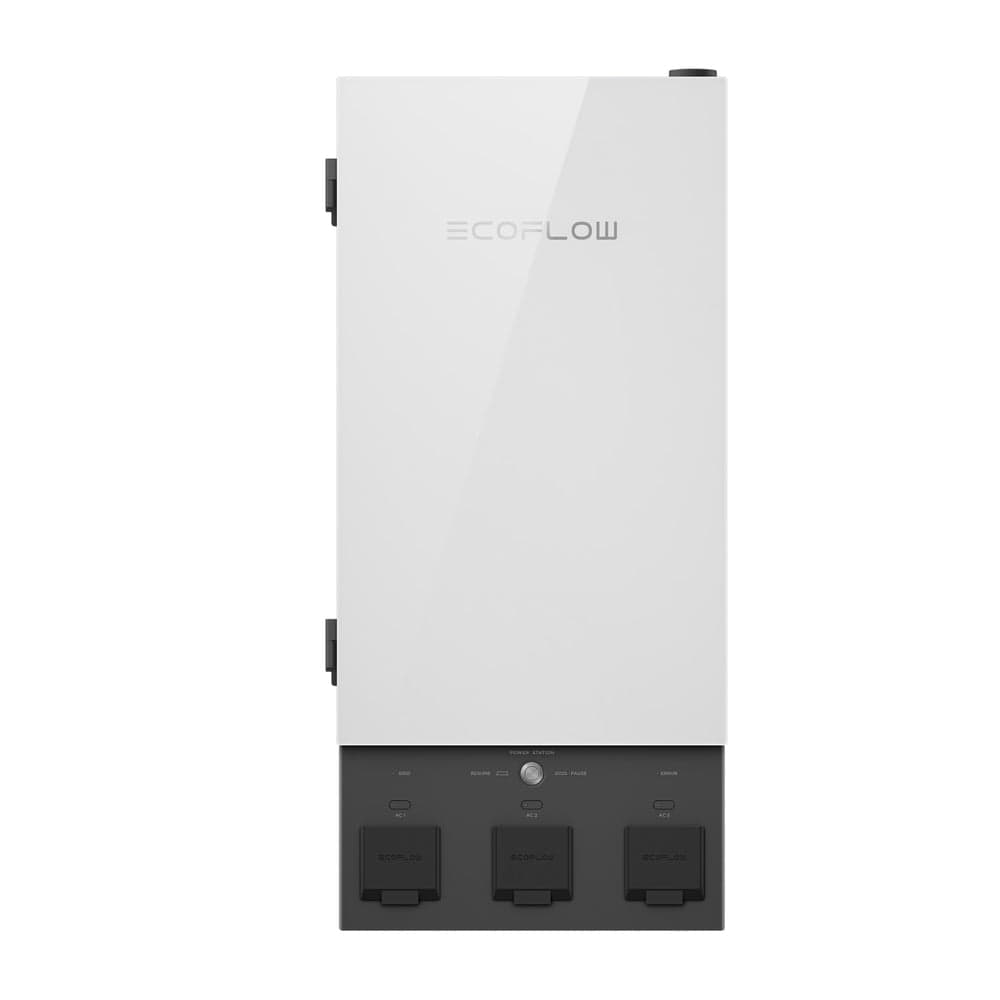
Smart Home Panel 2 | |
Three Renology 400w solar panel arrays, one is a blanket, all connected to "Derecho" currently. In the future, there will be a 2x2 with array/blanket pair on each Pro |
Everything that's bold in that list, is supported using smart plugs for power scheduling. The brand we found was most flexible up to 1800w without throwing up (looking at you, Govee) was called TREATLIFE, on Amazon. They can be controlled using pretty much any smart device control app you can think of. Highly recommended.
Getting the Smart Home Panel 2 installed wasn't too difficult. What we did was to have all things HVAC (blower/furnace, humidifier and outdoor AC) in a 60A subpanel; then run that into the SHP2 with a 60A breaker. The logic is that there would never be a time that the furnace and A/C are both drawing power, and the gas furnace/humidifier draws almost nothing in any case. The A/C never draws more than 1800w even on initial start up.
This one circuit then gets allocated specifically to "Derecho", which is fine. He can handle it.
Everything else is a single 15 or 20 breaker as per usual: some upstairs lighting, a "rogue" outlet that is used to recharge "Main", the sump pump/dehumidifier outlet, and all of the kitchen outlets/overhead lighting. The various outlet stuff is getting redone, but that's going to require drywall invasion, so it's down the road. This'll do for now.
Sounds like it's all good. So what's the problem?
The problem is that Ecoflow's ecosystem is built to make certain assumptions that contradict between devices.
You see, the Smart Home Panel 2 has its own firmware; and by way of it, the Double Voltage Hub(s) get updated firmware. There are two different Double Voltage Hubs with only slight variations of the name (Which confuse consumers) - and each has a value use case depending on why you're doing all this. But the problem is, you risk buying the wrong one.
The one that is easy to find on Ecoflow's site (let's call it "Duh") is the "I'm not buying your panel, I have my own transfer switch/inlet box" one. That one doesn't directly work with the Smart Home Panel 2. It COULD, but you would need to add an inlet box or a transfer switch, which you could do...but do you need to? Maybe.
Think of it like this: if you don't want to be beholden to Ecoflow's automation ecosystem lock-in, but you want to make use of two of their batteries, you need "Duh" and an inlet box or transfer switch with an inlet port. That means you can buy your own hardware and just let the battery work with it. Now, that means it's NOT automated. IF there's an outage, you run down stairs or to the garage and plug'er in/flip the switch. This setup works with the vast majority of larger "Pro"/"Ultra" devices without any hoops or excessive accessories, even "Duh".
For the vast majority of people this is fine. But it's NOT how Ecoflow markets that it will work.
How Ecoflow markets it, requires a different Double Voltage Hub. We'll call it "Huh?" "Huh?" only does you any good if you plan to get the Smart Home Panel 2 and it's only really needed for certain DELTA units. The DELTA Pro 3, for example, doesn't need it; it can plug straight into the panel 2.
But the real issue is the reliance on firmware, which creates a reliance on internet connection.
Each device in the Smart Home Panel 2 setup has to be on a firmware level that is "compatible" with each other. This is incompatible with the best practice of installing the latest firmware on the standalone device. That's what the story below is to share: how to avoid what we went through.
If you get a Smart Home Panel 2, DO NOT upgrade your battery units' firmware or the Panel separately.
You're like, wha??? Yes, it doesn't make any sense.
The thing is, the Smart Home Panel 2 controls the upgrade of the firmware for the Double Voltage Hub; and it triggers an upgrade for the connected battery units. The Smart Home Panel 2 assumes everything is all plugged in and upgraded at the same time. The reason this matters:
If you upgrade the Panel without the Hub, the Hub won't get upgraded. Which is stupid.
If you upgrade the battery units before connecting them up, they won't get correctly upgraded. Which is stupid.
If you connect the battery units to the Hub and then upgrade them, none of the three will get correctly upgraded. Which is stupid.
If you connect the battery units to the Hub and then connect them to the Panel, the Panel will upgrade but not the rest. Which is stupid.
How do you know that it was done wrong?
If your battery units throw an error about "Overload", it means the Hub is not on the right version.
If the Smart Home Panel 2 throws ERROR, it means it can't access what it needs from the batteries, which is because the Hub isn't on the right version OR the batteries aren't.
If the Smart Home Panel 2 can charge the battery units but not accept discharge, it may be a version discrepancy or a simple reset issue.
What to look out for
Overload 128 happens when the Hub's firmware isn't sufficient - the Panel and batteries are up to date but the Panel isn't "smart" enough to just upgrade the Hub after the fact.
Fixing this requires a firmware rollback from Ecoflow Technical Team on all affected devices; you must provide all of their Serial numbers (meaning you'll have to fight past their tier one support); but once that's done they will provide the correct order of firmware installation instructions. The battery units and Smart Home Panel must be disconnected from each other but all connected to Internet (the Panel can take Ethernet if you've allowed the wiring in). Which leads to the second issue:
Error 214 is a failed firmware install and almost always happens due to a network connection issue (which may not be your side's fault; traffic routes through a remote server) and almost always when the battery units are connected to the Hub; theory is that being connected up to the Hub causes firmware upgrades to get handled differently than standalone, and there's a greater margin for error. In our case only one unit failed, the other worked perfectly fine, but both were triggered at the same time.
When this happens, the battery unit(s) will act like they have no power when they do. It's not that they don't have power; the BMS can't talk to the battery, basically. It's resolved with getting the firmware to install properly; and the best way to do that is an IoT Reset (steps apply to the DELTA Pro. You'll need to find the comparable for your type of unit):
Disconnect the unit from the Hub. This is to stop the Hub from trying to do something it can't.
Unbind the unit from the app. It's under Settings at the bottom. You don't need to be near it for this step but you do for the rest.
Press and hold IoT Reset button for at least 10 seconds; it's inside the vertical panel on the right front. The unit will beep.
Re-add the unit by searching for it. It should prompt you to join the specific unit's access point (WiFi) to send the network credentials.
This step is critical. If you don't unbind but just try to redo the network, it's doing it over Bluetooth which won't work because the unit won't "trust" Bluetooth connections without the presence of a trusted wireless connection. It's a contradiction.
What's happened is that the wireless trust was "lost", so the device no longer will trust the Bluetooth devices that established it or were connected after it was trusted. These steps above create a new trust between all to tell the unit that it's okay to "trust" the connection it was provided.
Once the connection is re-established, complete the firmware upgrade. It should complete without an issue as long as network connection is stable. The unit will likely reboot at least once.
If successful you should be able to reconnect the unit to the Hub. Suggest resetting the AC just in case.
Once you've gotten to the point of no errors being thrown, the last issue is the most annoying:
If, despite correct connections and no errors, the Smart Home Panel 2 will not discharge from battery despite you telling it to, you should try to "Reboot" the Panel. There's no button to do that; you just switch its Grid switch to off, wait a few seconds, then back on. That's basically "rebooting" everything inside including the communication to the battery units.
If done right, it should pick up whatever you asked it to do and start working properly.
Now, you would think there would be value in such a basic button on every single one of these devices; since you're having to do resets and reboots and in some cases firmware rollbacks to fix issues. Why not just have a "Factory Reset" button that lets you self-serve? They probably are afraid of something getting hosed up; but they get hosed up anyway. There's little to lose, frankly.
The other issue is terminology.
You see, in the Smart Home Panel 2, "Charging" is a generic term that includes both grid and solar. In one situation we noticed that no solar charging was taking place despite being instructed otherwise; and it wasn't until the Panel was rebooted that it finally started charging from solar. At the time, the scheduled task was to not charge, but that's grid, not solar. The widget for "Battery" doesn't include solar charging in the "Charge" criteria, making it basically misleading. Visually it should separate "Grid Charging" from "Solar Charging" for clarity. But it would have been nice to just have a simple reboot button for the panel for such situations. Better, since it's getting power from the main panel anyway, allow control of its inner grid breaker through the app.
Finally, the circuit layout should be planned. In our case, "Derecho" is the one getting the heavy duty stuff during the day, where both get hit overnight. For DELTA Pros, the system doesn't load balance consumption between units; it's based on what the Double Voltage Hub is connected to and which side of the panel those circuits are on. This means that you can't really have 20kWh to cover all of your devices; you have 10kWh for one set of circuits and 10kWh for another set. The vast majority of users will suffice with this breakout, but again, you really need to plan the circuit locations well to make use of this methodology, especially if you're not getting a DELTA Pro Ultra (Which doesn't have that issue); but the upfront investment for that is substantial compared to the "build out over time as Ecoflow firesells them" approach using the DELTA Pro or DELTA Pro 3.
Ain't nobody got time to read that - do you recommend it or not!?
It depends, frankly.
It takes a LOT to get things up and running smoothly, and mostly because Ecoflow has critical features lacking and multiple hoops to get stuff working properly; you also consider that you're locking yourself into an ecosystem, effectively.
But once it's running, the ROI can be clear especially if you can tap into solar even partially. In our case it was not unheard of to have the dehumidifier running at a constant 600w for 24 hours; getting 600w of solar to offset that is a huge savings. That's just one example. You don't need the Panel for that, but you do need a sufficient amount of battery to cover it all. But we also had to account for the heavy lifting of the great room (easily exceeding 8kWh a day), the sump pump (intermittent but critical) and the uncertainty of the outdoor AC.
Without the Panel and with no batteries, the utility bill easily exceeded $400 especially in winter (double whammy with electric and gas charges). On just the electric side, the batteries (no Panel) dropped the charge by 75% monthly. The Panel is expected to effectively get get the charge further down; 50% or thereabouts, based on more solar coming into the play (remember, if you can place it right, solar can still work even in winter!). So if the electric dollar amount was $300 before all of this, the new amount (which is basically all off-peak) should be somewhere in the neighborhood of about $50 if solar's good. No, that's not an exaggeration. If solar isn't too good, it's still down around $100 which is perfectly acceptable given everything going on in the home.
Given those numbers, it's worth it if you can consider it an investment for long term savings, not short term. Short term will put you in the red no matter what; how long of red depends on your use case. The $400/month quote above is not a full family of 3 or more; it's way less than that, so larger families will obviously need more battery capacity which is more upfront and thus a longer ROI path. Ecoflow is fire selling units to make way for the newer "fancy" ones; so there are substantial deals to be had. Unfortunately there are also risks of some sort of firmware issue as was seen with the DELTA Max 2000.
As an unrelated side note: the gas side of the equation was easier to solve. Getting rid of the tank water heater and going full tankless dropped the overall gas cost by 70(!)%. Replacing the single stage old furnace with a 96% high efficiency dual stage and sealing leaky windows and doors (only) got another 10% savings. So basically the gas bill won't be $200/month again. What it will be won't be known until we hit the "real" winter temps. The furnace is part of the Smart Home Panel (Derecho) though; so as long as gas is flowing, there will be heat regardless of any power outages going forward. Separately, one of the more critical CO sensors that also detects gas leaks is part of this circuit as well.
We're (cautiously) happy with the result. But the path to get there is completely unacceptable.